Can I track restaurant inventory without recipes or a POS integration?
By Michael Hammill, restaurant GM. Last updated November 12, 2026.
The short answer
Yes. What you used in a week is what you had at the last count, plus what was delivered, minus what's on the shelf now. That needs counts and invoices, not recipes or POS sales.
ProfitPlus works this way: count your top items once a week, keep photographing invoices, and it works out what you used and what to order from which vendor.
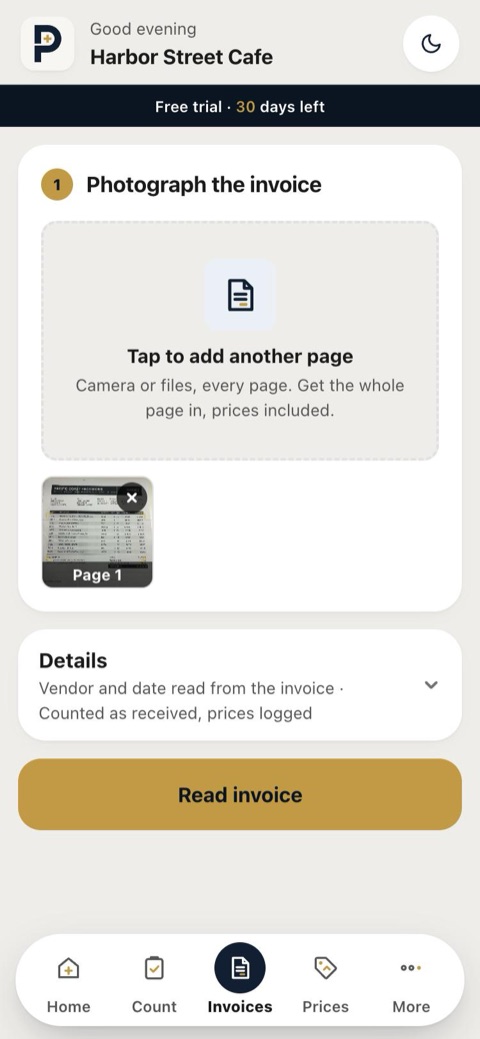 Invoices give the deliveries
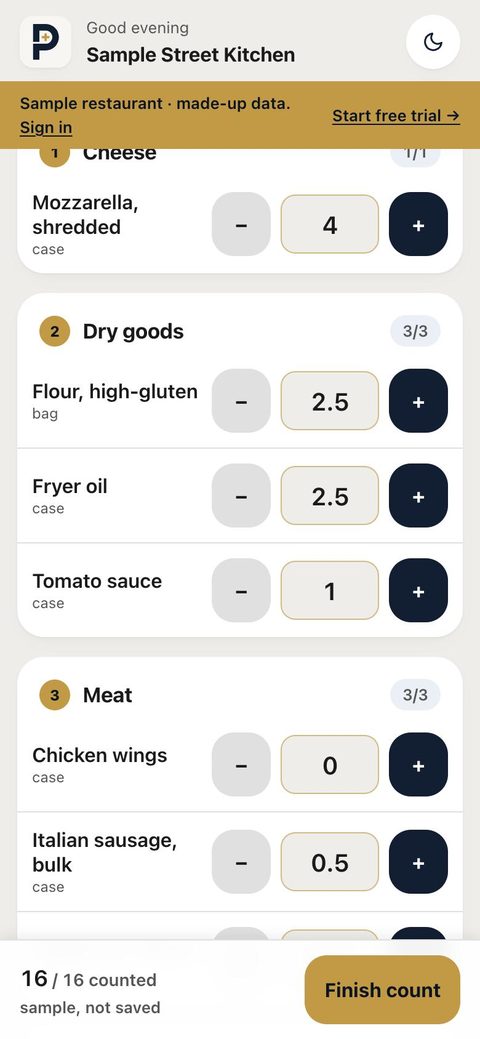 Counts give what's left
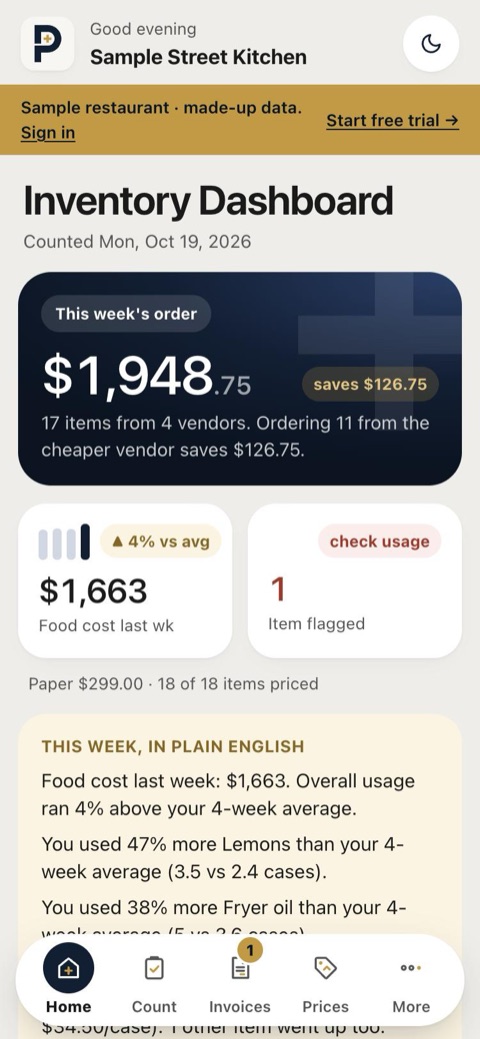 Usage and food cost
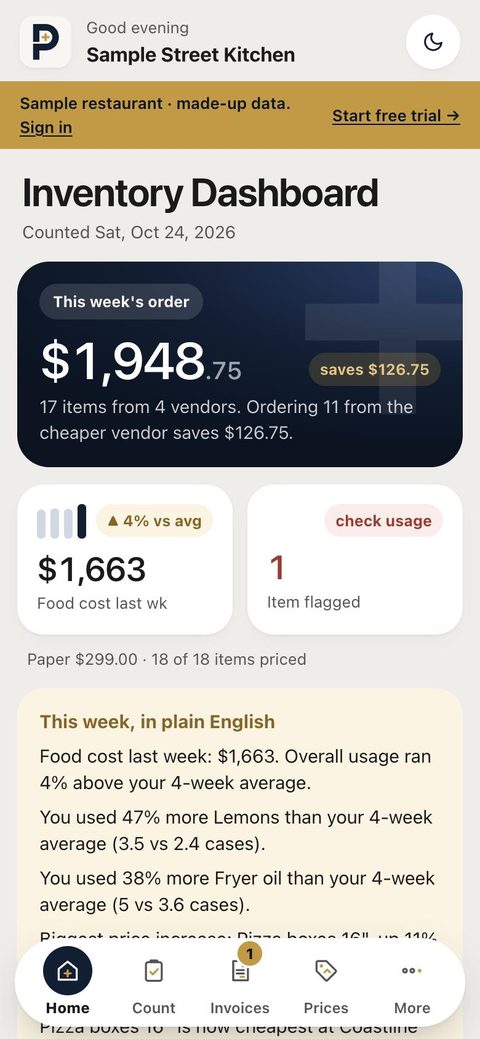 The order, by vendor
The math, in plain words
Used this week = last count + delivered since − this count. Deliveries come from the invoices you photograph, so you don't type anything in.
Order = shelf amount − on hand, rounded up. The shelf amount is your 4-week average usage plus a 25% cushion, unless you set your own for that item. On hand is your last count plus anything delivered since.
Each item goes to your preferred vendor, or the cheapest one you buy it from. When a cheaper vendor exists, the order shows the savings, and you can send the list to your rep from your phone's share menu.
Restaurant inventory spreadsheet or an app?
A restaurant inventory spreadsheet works while someone keeps typing into it: every invoice line, every price change, every count. When that slips, the numbers stop being trusted. ProfitPlus fills in the same columns from invoice photos and counts on a phone, then does the math each week. You can export everything back to a spreadsheet anytime.
Just want the formula? Use the free food cost calculator.
Setting it up
- Scan your invoices as they come in. The first one builds your item list. How invoice scanning works.
- Pick a count day. Each location has one. ProfitPlus reminds you in the app and by email.
- Count your top 10. The quick count picks the 10 items you spent the most on in your recent invoices. Big + and − buttons, grouped the way your shelves are.
- Get the report. When a count is finished, you get the weekly inventory report: what's on hand, what was used, and what to order from whom.
What to expect in the first weeks
- First count: it's your starting point. There's nothing to compare against yet.
- Second count: usage appears for every item you counted both times.
- After about two weeks of usage: suggested order amounts start. Until then, you can set the shelf amount for any item yourself and the order uses it right away.
What it doesn't cover
- It doesn't calculate plate costs or compare what you should have used against what you sold. That needs recipes and POS sales, which ProfitPlus deliberately doesn't require.
- Items you don't count don't get a usage number. The quick count covers your biggest spend; a full count covers everything.
- A suggested order is a suggestion: you review it and send it yourself.
What it costs
$49 per location per month after a 30-day free trial, with unlimited counts, scans and staff. Full pricing.
Questions
- Do I need recipes or a POS connection?
- No. Usage comes from your counts and your invoices, so nothing has to be connected and no recipes have to be entered.
- Do I have to count everything every week?
- No. The quick count is your 10 biggest-spend items, which most people do in about 15 minutes on a phone. Full counts are there when you want them. Items you don't count don't get a usage number that week.
- How does it decide how much to order?
- For each item: the amount to keep on the shelf, minus what's on hand, rounded up. The shelf amount is your 4-week average usage plus a 25% cushion, unless you set your own. What's on hand is your last count plus anything delivered since.
- Which vendor does each item go to?
- Your preferred vendor if you've set one; otherwise the cheapest vendor you've bought it from, or the last one that delivered it. When another vendor you use sells it cheaper, the order shows the difference.
- Can my staff do the counting?
- Yes. Staff join with a link and a store PIN and can count, log waste and photograph invoices. They never see prices, costs or reports.
Read next
See it with a real week
Free for 30 days, then $49 per location per month. No card to start, no setup fee, cancel anytime.