Can an app read restaurant invoices and Costco receipts?
By Michael Hammill, restaurant GM. Last updated November 12, 2026.
The short answer
Yes. In ProfitPlus you photograph a delivery invoice or receipt (or upload the vendor's PDF or CSV), and it reads the vendor, date, invoice number and every line: item, quantity, pack size and price.
You check every line before it's saved. After that, each price is tracked, and you're told when a vendor raises one or adds a new fee.
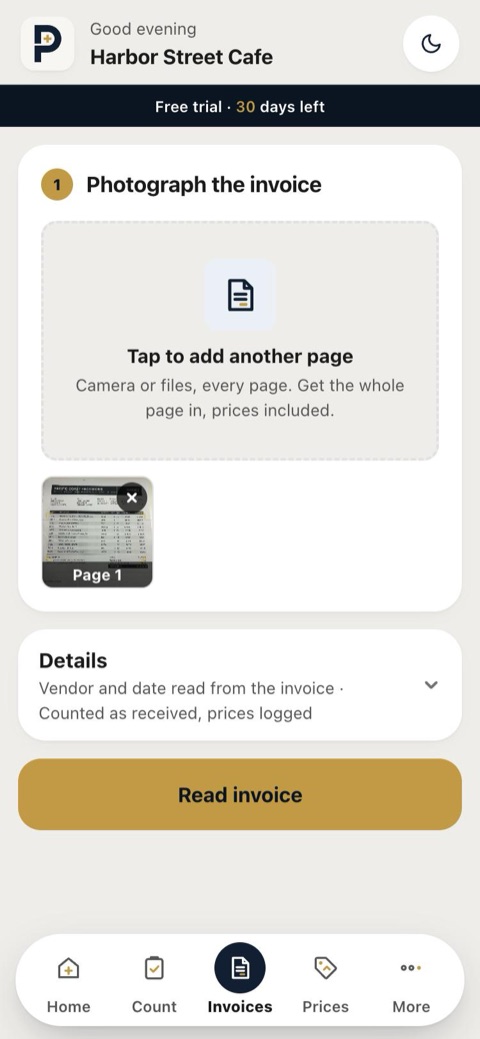 1. Photograph each page
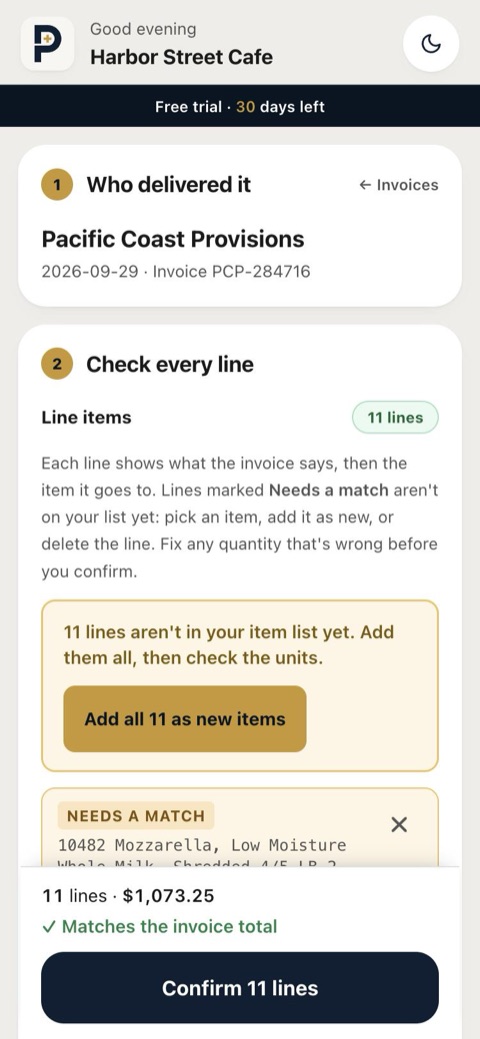 2. Check every line
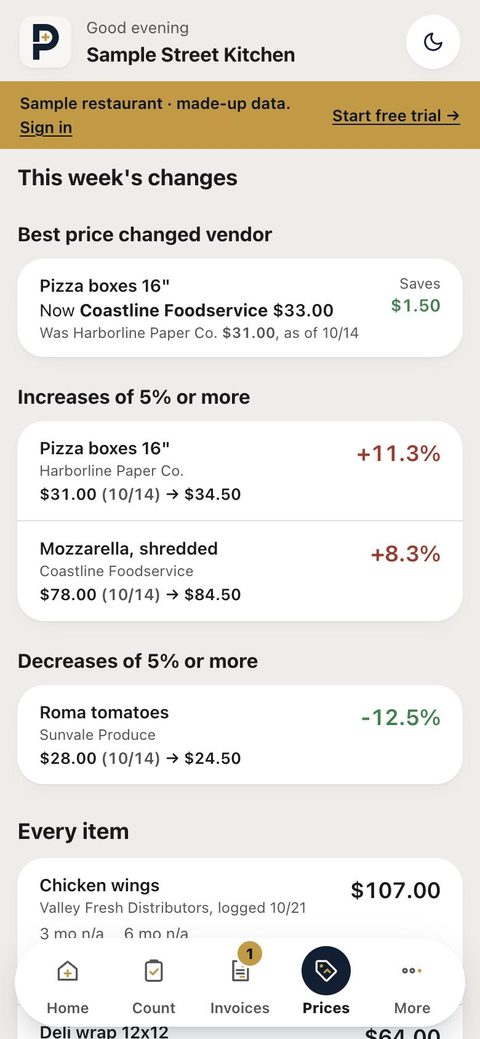 3. See what went up
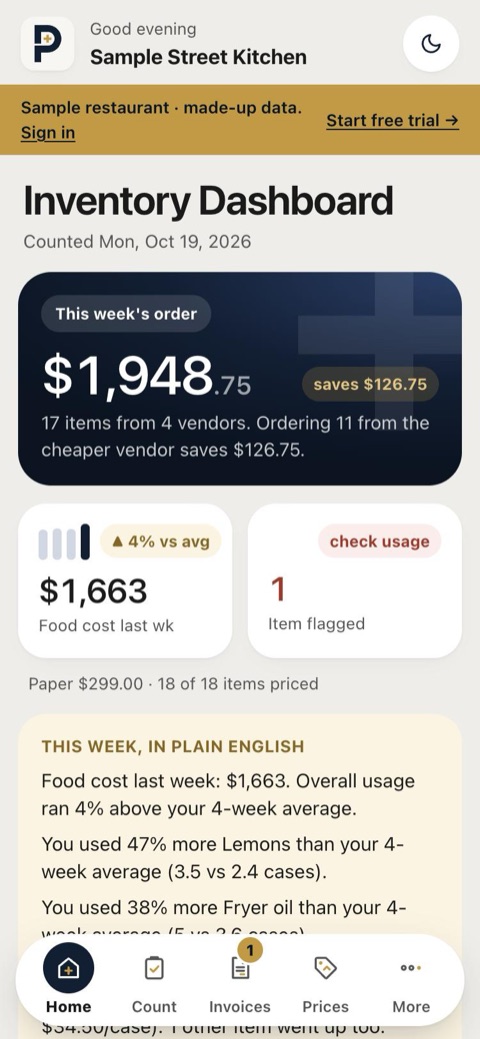 4. Feeds your weekly numbers
What happens to an invoice, step by step
- Photo in. Anyone on the crew photographs the invoice when the truck comes, one photo per page. PDFs and CSV exports from a vendor's website work too.
- Every line is read. The vendor, date, invoice number, each item, quantity, unit or pack size and price, plus fees (fuel, delivery, admin) and sales tax, kept separate from the items.
- Checked against the total. The lines, fees and tax are added up and compared with the total printed on the invoice. If they don't match, the invoice is read again; if it still doesn't match, the check screen shows the difference so you can find the line.
- You confirm. Every line is shown with the item it will go to. Lines that look wrong (a quantity of zero, quantity × price that doesn't add up) are marked to check, and lines that aren't on your list yet are marked "Needs a match". Nothing is saved until you tap Confirm.
- It learns. When you confirm a line, the invoice's wording and product number are remembered for that item, so next time the same line is matched automatically.
- Prices tracked. Each confirmed price is recorded. You're told when an item goes up 5% or more, when another vendor sells it cheaper, and when a vendor adds a fee you haven't been charged before.
What it doesn't do
- It doesn't pay bills or post invoices to accounting software. At month end you can send your accountant a report, spreadsheets and the invoice photos.
- It doesn't skip your check. A line it can't read clearly is shown to you, not guessed silently.
- Price comparisons are between vendors you actually buy from, based on your own invoices, not the whole market.
- The first invoice from a vendor has nothing to compare against, so price and fee alerts start from the second one.
What it costs
Invoice scanning is included and unlimited: $49 per location per month after a 30-day free trial, no per-invoice charges. Full pricing.
Questions
- Can it read Costco and club-store receipts?
- Yes. Receipts go through the same steps as delivery invoices. When a line has a product number, ProfitPlus remembers it once you confirm the line, so the same item is matched automatically next time. That works for Costco item numbers and for any vendor's product codes.
- What file types can I upload?
- Phone photos (several pages per invoice), PDFs, and CSV or text exports from your vendor's website. Each file can be up to 4 MB.
- How accurate is it?
- We don't publish an accuracy percentage. What we can say: every line is shown to you before it's saved, lines that look uncertain are highlighted, and the lines are checked against the invoice total. Nothing goes into your prices until you confirm it.
- Can my staff scan invoices?
- Yes. Staff join with a link and a store PIN and can photograph invoices when the truck comes. They can see the photo they took, but price reports, alerts and costs stay with owners and managers.
- Do I have to set up my item list first?
- No. The first invoice builds it: each line becomes an item with one tap, and later invoices are matched to those items.
Read next
See it with a real week
Free for 30 days, then $49 per location per month. No card to start, no setup fee, cancel anytime.